> Library-O-Saurus: curriculum
Showing posts with label curriculum. Show all posts

Monday, October 21, 2019

Student-Curated Book Displays: A Practical Application of Catalog Skills

Project-based learning has a big audience in our district, but it's difficult to complete an entire PBL unit when you only see students for 55 minutes a week (or less, with assemblies and Fun Runs and field trips!). I try to incorporate as much authentic learning into my lessons as possible, and I'm suuper excited about my newest attempt: 4th grader-curated book displays using catalog skills!

I introduce Destiny in second grade, so fourth graders have had a great deal of practice finding books in our online catalog and then on the shelf. Now comes the ultimate test: a two-week project in which they have to think of keywords for a seasonal display, find books that would fit in the display using our online catalog, and then pull the books from the display and scan them into a resource list. I am SO excited about this idea and super hopeful it turns out!!

First, students will be randomly assigned one of 8 seasonal display topics that will be displayed in the next few weeks. Since I am doing this at the beginning of the year as part of library orientation / Destiny review, the displays I picked are:

  • Diwali (Oct 27 this year)
  • Bullying Prevention Month (October)
  • Disability Awareness Month (October)
  • Native American Heritage Month (November)
  • Italian American Heritage Month (October)
  • Thanksgiving
  • Veterans' Day
  • Election Day
I pull my Halloween books in the beginning of October, so this would be a little late to include Halloween for me!

I collated the copies so all 8 topics cycled through one after another, in order to distribute them evenly. Students first listed 3 key words that they could use to search for books (a throwback to 3rd grade, when we did LOTS of work around key words!), then used an iPad to search Destiny for those key words and listed at least 5 books, along with their call numbers. We regrouped to share what we'd found, and I collected the sheets for next week!

Part 2

school library catalog
The second part of this lesson came the next week, when it was time to pull the titles from the shelf! I found that I had to review all the different sections of our library, because with this kind of search, students were finding some titles in smaller sections, like our Easy Non-Fiction and Early Chapter Book sections, that they aren't as familiar with. I passed their papers back out, this time putting them into groups according to which display they were researching. Each group was responsible for finding all the books on their lists, and then one student from each group scanned the books into a Resource List. The reason I had them scan the books into the resource list is because I had to put all the books back on the shelf for the next class! I wanted to make sure every group got to pull all their books, which ended up being a lot of extra shelving for me. Worth it though, to see their pride over their own display! The resource list is important so I can make sure every group's books are all represented.
school library students searching for books for a catalog display


Centers This Week

I always like to make sure that the center work supports what we're doing in the lessons as well. The Chromebook center for these two weeks is the library game Shelver, and the writing center is a chance to create a sign to go along with their displays.

student-curated Diwali book display in the school library
student-curated book display for Disability Awareness Month in the school libraryHere are some of our finished displays: student-curated book display for Bullying Prevention Month in the school library
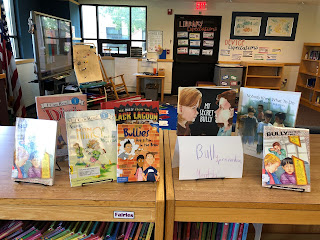

They are pumped to see their own displays up, and I'm excited that they were able to pull their own collections!

Storybook STEM: Halloween Edition

Image result for room on the broomOur storybook STEM for the month of October has to include some Halloween projects! This year it's all about Room on the Broom by Julia Donaldson. The witch, the cat, the dog, the bird, and the frog are all flying happily along on the broom, until --- it cracks in half!

Introducing our problem: Build a new mode of transportation for the witch, the cat, the dog, the bird, and frog. 

Our tools: Strawbees, from our Curiosity Kits!

Image result for strawbees


Students were reminded of the design cycle: First, imagine what you think you should create. Next, describe it to your group- and agree on ONE idea! Then, create using the tools you've been given and evaluate it along the way. Finally, you'll present your creation to the class.

Image result for room on the broomelementary school library students building a STEAM Halloween projectWe got some creative displays! Some of my favorites were a flying camper (complete with beds and a sink for the frog), a trampoline hanging from a helicopter, and a teleporter - we have some creative kiddos!

After presenting our ideas, I skimmed through the rest of the story, which includes another big problem the witch has - a dragon! In some classes, when we were pressed for time, I skipped to the end of the story, when the witch and her friends solve the same problem we were working on - but they use magic instead of Strawbees.

Happy Halloween! :)


elementary school library students building a STEAM Halloween project

Saturday, October 12, 2019

Introducing the Mouse: A Monster Hunt!

Kindergarteners had SO much fun learning how to use a computer mouse this week with a monster hunt! Our school district recently purchased a subscription to i-Ready, a computerized curriculum for all grades, and I've been working pretty closely with teachers to make sure that students have all the skills they need in order to be successful with it. I was SUPER excited to find that they actually include a module on parts of the computer and how to use a mouse - and it's AWESOME!

The biggest cursor practice comes in the form of a game in which students move their cursor over different shapes to reveal noises, movements, animals, and, at the end, monsters! I decided to make this into a Monster Hunt, because it's getting close enough to Halloween that kids are VERY excited about all kinds of Halloween-y things!

Image result for jumpy jack and googily
We started by reading the picture book Jumpy Jack and Googily, by Meg Rosoff (and illustrated by Caldecott Medal-winning Sophie Blackall!). It's a goofy story of two best friends: Googily, a monster, and Jumpy Jack, a snail who is terrified of monsters. The illustrations are what make this book for me - every page, Jumpy Jack asks Googily to check somewhere he thinks a monster might be hiding (the shed, behind a tree, in the paddle pool) and Googily obligingly checks for him - so that, as the kids loved to point out, "NOW there's a monster!!"

I told the kids, "Now we're going to go on our own monster hunt! Do you think we'll be able to find any?" They, of course, were ready to trek around the library to find some - but then I told them we were going to be hunting for monsters on our computers. I put the word card for "cursor" on the board and asked them to find my cursor on the Smartboard. I then moved the cursor around and asked them what was happening! In each class, there were enough students who'd seen a mouse used before that they were quick to point out that my hand was moving on the mouse! I added the word "mouse" to our word wall.

I demonstrated how to hold a mouse and had 3-5 students demonstrate. Then we were ready for our monster hunt! i-Ready has a teacher version and a student version; we went through the teacher version together, patiently looking for any monsters, until we found a few at the very end. Since I have a wireless mouse, I was able to bring a flat surface (a hardcover book) and the mouse to students that were sitting quietly so they could move the cursor to the different shapes.

After introducing a few more word cards (Chromebook, screen, and keyboard), next up was independent practice - students were dismissed to tables where I had (furiously quickly in 10 minutes between classes) set up Chromebooks for them. They did their own monster hunt while I called students up to check out books.

This monster hunt is a great introduction to the mouse because it involves very minimal clicking! I find that a lot of times, kindergarteners want to press all the buttons and have a difficult time doing so - and they get distracted from actually using the mouse. Most of my students were really getting the hang of it by the end!

Image result for spider sandwichesWe wrapped up by reading another monster-themed book and a favorite in my library: Spider Sandwiches by Claire Freedman. It's a disgusting rhyming food journal of Max the monster, who loves to eat anything with bugs in it - especially spider sandwiches! Kindergarteners love to "EWWWW" at his goofy diet and gross snacks!

Sunday, October 6, 2019

Introducing Library Centers

YAY! I am so excited to finally get library centers started this week! I run centers for the last 10-20 minutes of my library block, both to give kids time to check out books and to get extra practice with some of our integrated skills. Before we start, though, we need to spend a week to practice and learn our routines!

Third and fourth graders are pretty used to centers now, but it's still important to discuss what our expectations are during this time. We review our library expectations, which have been hanging up for a week now, and create an anchor chart: Library centers - What are students doing? What is the librarian doing? What should it look, sound, and feel like for someone walking into the library?

library centers anchor chart


We also discuss the most important task for students during our centers time: finding books. Last year I had been finding that students were rushing to get to centers and were either not checking out books, choosing random books without thoughtful decisions, or coming up to me during clean-up time saying, "Wait, I haven't checked out a book!" I'm hoping to prevent that this year using what I'm hoping is an absolutely amazing tip from a blog (one of those like, "Why didn't I think of that?!?"): Students will reserve a spot at a center table using their library folders. It will considerably slow down the transition into centers, but I don't think that will be a huge issue; in fact, it might be helpful to control what can sometimes be chaotic. When I get to their folder, students will set the folder on the rungs under a chair to save that spot. Then they can check out books without fear of getting a less-than-ideal center spot!

Our Centers

Chromebook Center

At one 6-person center, I set out 6 Chromebooks, 6 headphones and 6 mice to give them some trackpad, mouse, and typing practice, depending on the grade level. For this first week, students were required to play the library game Shelver to practice mouse skills and library skills.
elementary school library centers

iPad Center

Another favorite! I have six iPads and six headphones at this center, and the app varies depending on what we're learning that month. To start, we got back into coding with CargoBot!

elementary school library centers

Building Centers

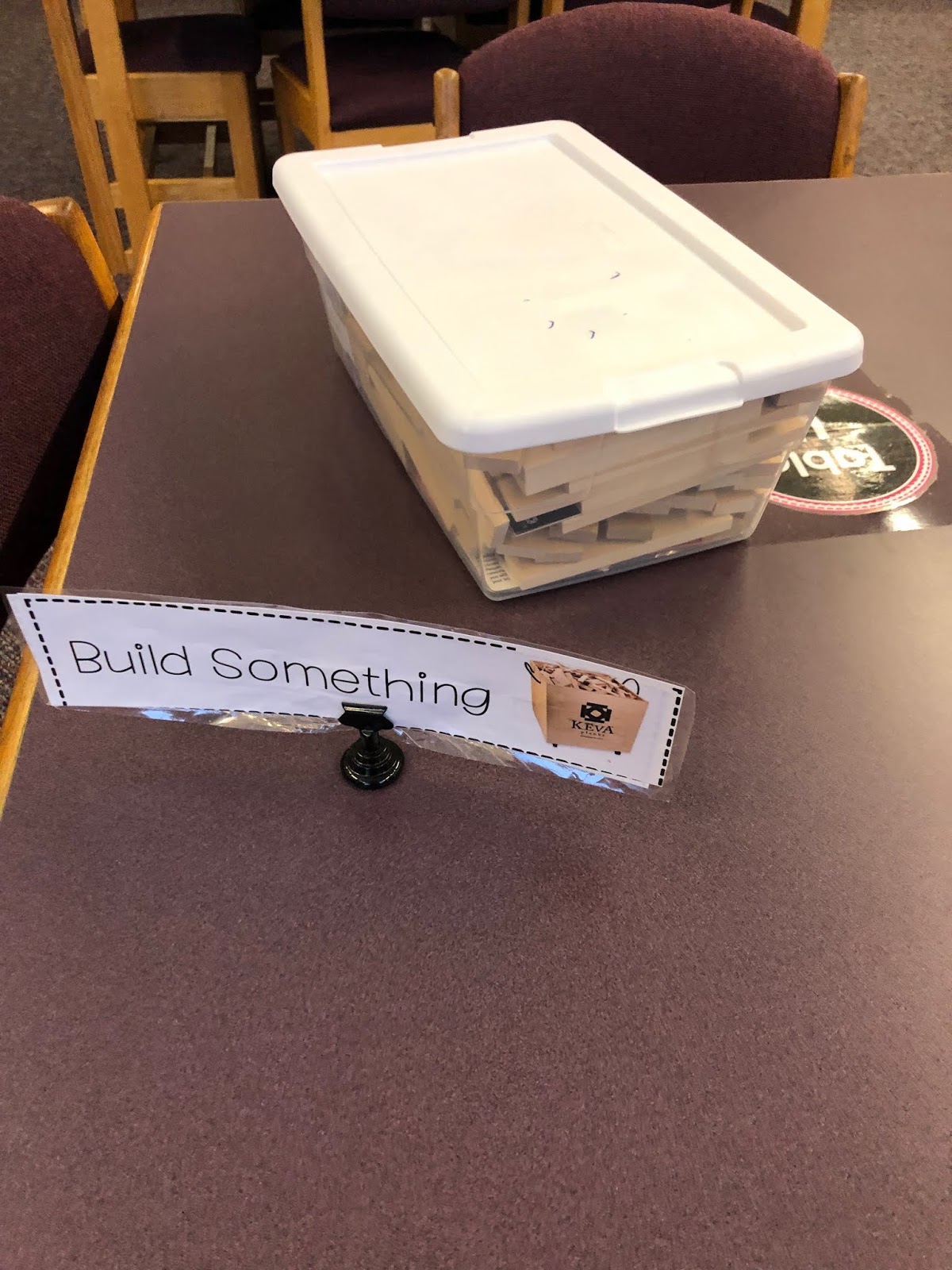
These are two matching 4-person centers. We rotate through different building or STEM materials, like KEVA Planks, Strawbees, K'nex, even Osmos and Ozobots (although the Ozobots might not come out again - last time those came out, I lost two!). The start of the year is always a good KEVA Planks time!
 elementary school library centers

Writing Center

This one varies a lot, and can be anything from coloring to a "Meet the Author" center (from the adorable Library Mouse) to Make Your Own Graphic Novel. This week, it's a chance to finish decorating their library folders for those who didn't finish a couple weeks ago. Six seats at this center, too!
elementary school library centers

Reading Center

I love the opportunity to pull out library books that get less attention than I feel they should! The arts-and-crafts books are popular here (how to draw books, origami books), as well as I Spy books and our giant books. I also do some seasonal things here, like Poetry books in April, Caldecott contenders in January (as well as a ballot for the older kids to join in our Kindergarten Mock Caldecott), and today, a slightly belated Banned Books Week display!

elementary school library centers Banned Books Weekelementary school library centers Banned Books Week 

Students not interested in any of the above centers can put their folders back in the bin and read their library books around the room. Here's hoping that it all goes well!!!