> Library-O-Saurus: second-grade
Showing posts with label second-grade. Show all posts

Saturday, January 11, 2020

Genre Study Part 2: Historical Fiction

Our second-grade genre exploration continues with: Historical Fiction!


Historical fiction can be a tricky genre for second graders because a lot of the great historical fiction series are juuuuust out of their reach. I try to book-talk American Girl series, I Survived, the Dear America series, and then I end up doing a lot of stand-alone novels because historical fiction just doesn't tend to be too popular with the early chapter book set. If you know of any great series, PLEASE let me know - especially ones that feature diverse characters!

Our delve into historical fiction is a little shorter than our fantasy unit; here's what we did this year:

Week 1: Introduction to the Genre & Different Time Periods

Since this is only our second genre after fantasy, it takes a while to reintroduce the idea that there are lots of different types of fiction books. We have to point out that not every book in the fiction section has magic in it; there are lots of other kinds! I book-talk a bunch of historical fiction books without naming the genre, and write the word "fiction" on the board. Even though they are all fiction, they all have something else in common - can anyone figure out what it is?! Typically they're able to tell me that they take place a long time ago, and we define the word "history" before turning it into the word "historical."

Image result for winter days in the big woodsI took them on a picture walk of Winter Days in the Big Woods, an early reader/picture book version of the Laura Ingalls Wilder series. We discussed what we saw in the pictures that made us think it happened in history, and was historical fiction; those pictures are full of great scenes like butter churns, wood-burning stoves, old dress, and log cabins. Another book I've used for this activity is Snowflake Bentley.


Then we explored different historical periods using the Magic Tree House Kids Mission Game on our Chromebooks. We practiced logging in to the Chromebooks (we've ALMOST all got it!), then each student had to choose a mission to complete. Each mission takes them to four different historical periods, which we discussed could all be the setting of a historical fiction book. We did have to discuss before we started, though, that Magic Tree House themselves are not historical fiction - they've got magic in the name, so they must be fantasy!

Week 2: Hour of Code with Ozobots & Elements of Historical Fiction

Because our Week 2 happened to coincide with Hour of Code week, it worked out perfectly that we were already planning an Ozobot exploration of elements of historical fiction! Each pair of students got an Ozobot, markers, and an "Elements of Historical Fiction" map. Their task was to use color codes to make the Ozobot pause next to things that would belong in a historical fiction scene (a covered wagon, World War I & II helmets, the past), and speed by things that would not belong in a historical fiction scene (aliens, dragons, flying cars). It was a HIT!
Historical-Fiction-Genre-Ozobot


Historical-Fiction-Genre-Ozobot

If you've never used Ozobots before, check them out! They are easily differentiated from very simple color coding to more complicated Block coding, and I find them to be a blast to integrate into a variety of different lessons.

Week 3: A Kahoot! Genre Review

The week before winter break is always an interesting one - energy is high and attendance is low! Instead of introducing a new topic this week, I like to do a review or a project so no one misses new material (this year I had a record - TEN absences in one kindergarten class!!). We reviewed our two genres using a Kahoot! interactive quiz. The second grade teachers don't tend to use Kahoot!, so this was new for them - and they! loved! it! You can create your own Kahoot or use mine!


Historical fiction is in the bag! We're moving on after break to my favorite: mystery!

Friday, November 29, 2019

Genre Study Part 1: Fantasy!

Our first genre of our months-long introduction to fiction genres: Fantasy!

I love starting with fantasy because it's so easily recognizable, and also because it's so popular in middle grade fiction! A lot of my second graders are already getting into Harry Potter (I know - it seems young!) and they're super excited to learn about fantasy books. I started each one of these lessons with some fantasy book talks so they could try out some different series!

Here's an outline of our 4-week genre exploration:

Week 1: What is Fantasy?

We introduced the genre with some book talks and a short clip of Harry Potter (I like his first flying lesson as a quick, fun scene - I stop the video when the broom hits Ron in the face!). Some of the series I like to use as an introduction are The Fairy Bell Sisters, Whatever After, Dragon Slayers' Academy, and Rainbow Magic, since I feel like all of those are accessible to most second grade readers. After emphasizing the fantasy elements in all of those books, I tell the students that yes, they're all fiction; but they also have something else in common! I write the word fantasy on the board and ask them to discuss in pairs what words they heard repeated throughout the examples that might put the books in the same genre.

With enough prompting, when we come back together, most of my pairs have come up with the word "magic" (I make sure to say it in every explanation!) and, if I'm lucky, "unusual" or "magical creatures" like dragons, wizards, fairies, and giants. We make a list of some characters that we might find in fantasy books like these, or other books that we can come up with.

The students had to complete an assignment in Seesaw: draw a fantasy scene! They had to label at least one character using a text box (so that I knew what it was and whether or not it was actually a magical creature!). This allowed us to practice logging into and out of Seesaw as well as emphasizing our fantasy elements.


Week 2: A Collaborative Fantasy Concept Map

Okay, this one..... kind of failed. Kind of epically.

I had two goals for this lesson (besides emphasizing the characteristics of fantasy): I wanted kids to practice logging in to the Chromebooks, and I really wanted to give students an idea of what it's like to work on a collaborative document. The first goal I would say we met; the second..... meh.

The first day, I had big plans: Insert a fantasy picture into a slide that I had created, with the end goal being that there should be 20-25 fantasy creatures running around the slide! Um - NO. This was terrible. I'm not sure why I thought this would work, because of course everyone inserted a HUGE image and didn't know how to resize it. I was running around all class period explaining that no one had deleted their picture; they just couldn't see their picture because someone else (or four other someone elses) had put theirs on top of theirs. Yikes!

On Tuesday I had a different plan: Everyone type one fantasy word into a different cell on a table that I had input into a Google Doc. This worked MUCH better, but I'm still not sure I'd do it again because it didn't really teach them anything new about fantasy. Instead it turned into "How do you spell this?" We did have to get creative in thinking of fantasy words; most were magical creatures, but others were words like "castle" or "wand" or, of course, "magic." On the collaborative document side, though, it worked really well! We talked about how a colored cursor means someone else is typing in that cell, and that you should pick a different cell so you aren't typing over each other.

Week 3: Is This a Fantasy Book?

The following week, kids had to identify fantasy books and record them on this sheet, including a description of what makes it fantasy. I typically have them log in to Chromebooks and use Shelf Stuff to find covers that they think look like fantasy books. I love Shelf Stuff because it is engaging, constantly updated, and gets kids excited about new books that they probably haven't heard of before!

This year, though, this lesson fell during our school book fair, when my lessons are pretty crammed into our carpet meeting space in the corner. Since we didn't have the opportunity to spread out on the tables and use Chromebooks, I gave students two ways to find fantasy books: use the iPads to use Shelf Stuff (quicker because you don't have to log in!) or walk around the book fair and find fantasy covers! Any guess about which one they preferred?!


Week 4: Put Yourself in a Fantasy Scene

Our capstone was an introduction to using the green screen and the DoInk app! We started by brainstorming a list of characters and settings that would belong in the fantasy genre. Check out what it looked by the end of the week:

Then kids had to create an image using DoInk that included themselves, a fantasy character, and a fantasy setting. DoInk's Prop Library worked perfectly for this! We were able to find unicorns, dragons, fairies, castles - pretty much anything we wanted to include in our scenes. They turned out SUPER cute, so kids posted the pictures to Seesaw so we could share with their parents. It was the perfect capstone to the unit!

Next up: Historical Fiction!

Sunday, September 29, 2019

Scavenger Hunting Around the Library!

In the beginning of the year, the second or third time I see kids in the library, no matter what grade, we go on a LIBRARY SCAVENGER HUNT! I think it is so important for kids to rediscover parts of the library that they don't visit as much (Wait - you mean there are more books than Dog Man and the Who Was series?!?) and to get excited about new genres and types of books. BUT, I don't want the library tours to get stale year after year! So, I have developed four unique scavenger hunts for grades 1-4. Read on to hear all about them!


Fourth Grade: QR Code Question Hunt

These kids, for the most part, are already pretty much pros at the library. We don't have a crazy transient population at my school, so the majority have been with me for at least a couple years already - I think this year, out of 120 fourth graders, 10 were new to the school. So we have some experience under our belt!

The fourth graders explore the library through QR code-driven questions. There are 11 cards with numbers and QR codes scattered throughout 11 sections of the library. (We don't actually have 11 sections - I break up larger sections into smaller parts because of the way our library is set up, so we end up having 3 non-fiction, 1 biography, 1 graphic novel, 3 fiction, and 3 everybody/early reader questions.) Each group of 1, 2, or 3 students is given an iPad, a paper with 11 blanks and a QR code on the bottom, and a number to start with so there isn't a huge backlog at number 1 (or at the first one someone sees). They scan the QR code using the iPad, which takes them to a Google Slide I put together of some sort of question that relates to the shelf or section. They write the answers down on their sheet and move on to find the next number!

To give you an idea of what the questions ask:
Questions in the non-fiction section: What makes a book non-fiction? (This one includes a link to the answer at DK Find Out) Name 2 topics you might want to read to learn about this year; and How much taller do astronauts grow in space? (This includes a link to the answer at Smithsonian).

Questions in the fiction section: How are books organized in this section?; Name 2 series in this section you haven't read yet; and How do you know it's a fiction book?

For early finishers, I have a QR code at the bottom of the page leading to a final challenge: Find the two catalog computers, the check-in computer, and the check-out computer, and unscramble the words posted on them to make a phrase ("I love library books!").

I love this hunt because it's a good way not only to remind kids where everything is, but also gets them looking at books they might not necessarily pick up! Just today I had a fourth grader tell me, "I want all of these books!"


Third Grade: Seesaw Photo Hunt

This was new for me this year, and I have to say, as I get more and more comfortable with Seesaw, I get more and more excited about it! This was AWESOME and of course parents were super excited to get photos in the middle of the day!

I posted an assignment to Seesaw with six empty photo frames, labeled "a fiction book that is just right for you," "a non-fiction book that is just right for you," "a biography," "a graphic novel", "a picture book", and "the return bin." I am SO glad I included the return bin, because a lot of kids were clueless! Biographies were difficult for them to find too, because at the beginning of third grade they haven't been required to read any biographies. 

Kids edited the template on Seesaw by taking a photo of themselves with each item and moved the picture around to fit in the frame. ADORBS!

Second Grade: Sticker Hunt!

This is the first year my second graders have been allowed to choose books from ANYWHERE in the library, since I restrict first graders mostly to easier books. This is SUPER exciting! But, it also means that second graders have the most to learn about the library and the most exploring to do. Hence: The Great Sticker Hunt!


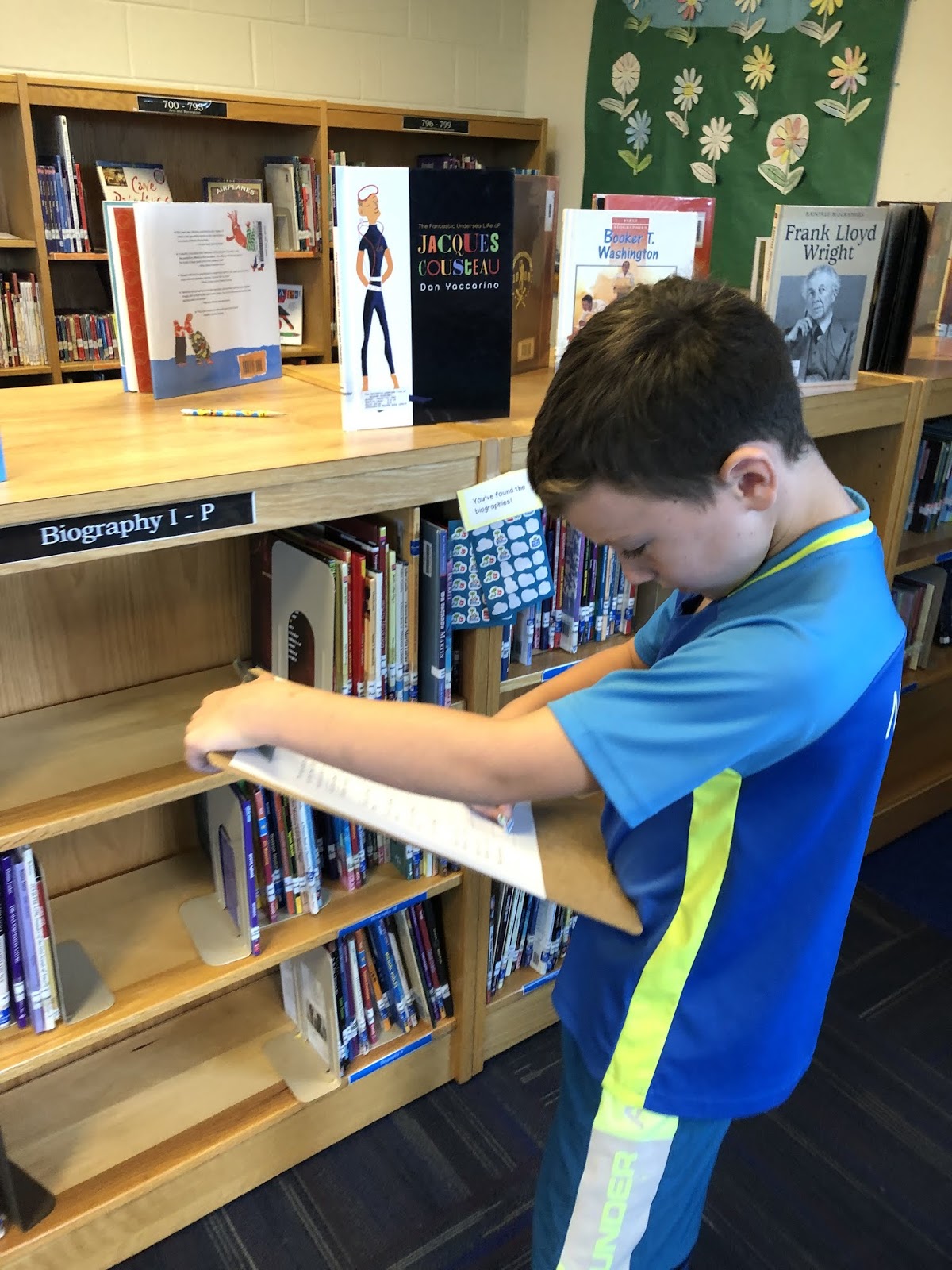
I broke my library up into 8 sections that I wanted them to find: 3 parts of the fiction section (because of the way my bookshelves are set up, it just makes sense to have 3 parts), 2 parts of non-fiction, biographies (this is the hardest for them to find, since they aren't really sure what they are!), graphic novels, and easy books (I might change this for next year, because "easy" is a difficult connotation when often there are some kids still reading in that section).


  In each section, I taped a yellow piece of paper to a shelf saying, "You've found the ________ section!" with a sheet of stickers from the dollar store. Students had to find each sticker and place it in next to the correct section on their sheet. Then, they practiced our skill from last week: Finding just-right books! They had to find one book that is just-right for them in that section and write the title on their sheet next to the sticker. This was tricky for some sections, like the Easy section, so at some points they just wrote a title of a book that looked interesting.


First Grade: Character Hunt

Last but not least: First grade!

We did a tiny bit of exploring the library together last week while we talked about the "purpose" of reading with the PICK acronym for good-fit books. We walked over to the first grade "read to learn" and "read for fun" sections (our easy readers/picture books/early chapter books and easy non-fiction section) and they chose a good-fit book from one of those two sections. Well, today they were directed to explore the first-grade sections of the library with a hunt of their own: for book characters hidden around the library!

I hid ten stuffed characters around the library. Six were in the first grade read for fun or read to learn sections that we looked at last week, and four were in other important spots to know: the Student Picks bookshelf, the New bookshelf, the return bin, and our shelving cart. Each character was holding a letter that students needed to record on a sheet next to the correct character. When they finished, their sheet spelled out "I LOVE BOOKS!"   We were able to debrief and discuss why the four other areas were important to know!


I am super proud of the different ways we explore the library and how engaged my students were all week! What other ways do you use to help kids explore the library??

Monday, September 9, 2019

First Week of School: Orientation, Just Right Books, and Fun in the Library


Is it just me, or is September the BEST? Everyone's excited to be at school, no one's in trouble yet (I hope), everyone's got a clean slate and is pumped for a new year. Also there's college football and cider mills. But I digress.

I love the first few weeks of school, and even more so since shifting to the library! I've played around with different lessons and orientation spiels and get-to-know-you activities, but I think it's best when it's all focused on literacy. I do not check out books with K-2 the first week of school; they are so overwhelmed just adjusting to being in school that I don't want to add even more to their (and their parents') plates! Instead, we spend the first week defining two important words - library and librarian - and thinking about what our library time should look like, sound like, and feel like.

They're constantly evolving, but here were my first-week lessons for my kiddos this year:

Kindergarten:

 I was all pumped and set to show a couple of super cute videos as part of K's orientation this year, but go figure... My Smartboard broke over the summer and the tech department isn't finished fixing it. Fingers crossed it will be all better for next week!

Instead, we started with: introductions! Since I see all the kids in the school, kindergarten is the only grade where EVERYONE is new. That's a LOT of names to learn, and in my school, a lot of those names are unfamiliar and complicated. I spend the first chunk of time introducing myself, showing pictures of my family (or I would have, if my Smartboard was working!), and getting to know how they pronounce their names. I also fill in a seating chart (by alphabetical order the first week - it will change as needed!).

After introductions, I ask if anyone has been to a library before. We have an awesome public library in our city, so typically about a third to half of them have been to a library and know what to expect. We talk about what a library sounds like (quiet voices- especially important this year because the Speech teacher has an office inside our library; people sharing and cooperating), looks like (walking feet, following directions, cleaning up after yourself), and feels like (a safe place where we're excited to read books!).
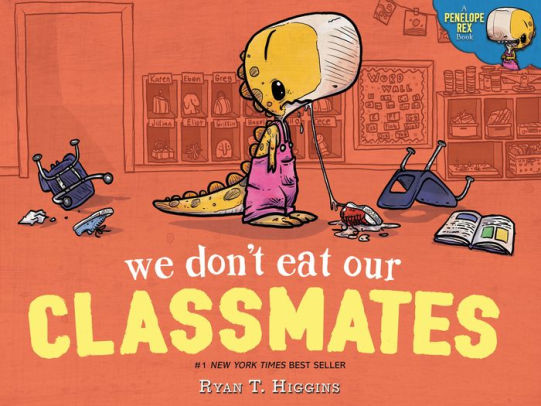
Image result for we don't eat our classmatesTalking about just-right books in kindergarten is tricky, because inevitably you'll hear a lot of "But I can't read yet!" I talk a lot about how to choose a book - does it look interesting? What kinds of things do you want to read about and pictures do you want to see? We also talk about how one way to read a book is to listen to someone else read aloud. Using bits of "We're Going on a Book Hunt", I modeled choosing a book from a handful of 4-5 picture books, thinking out loud through rejecting or choosing one to read. This year I settled on reading the adorable We Don't Eat Our Classmates by Ryan T. Higgins, which they ABSOLUTELY LOVED. After modeling choosing and reading a book, I dismissed the students to our tables, where they had to choose and "read" a book from a pile on the table for 10-15 minutes. We discussed expected behavior at the tables before dismissal: stay quiet, share with your friends, and ask permission to get up. As they were reading, I did my best to circulate and film Seesaw videos about which books they chose and why. This was both to give parents a window into what we were doing, and also to put a name to the face for me. Read more about my love for Seesaw *here*!
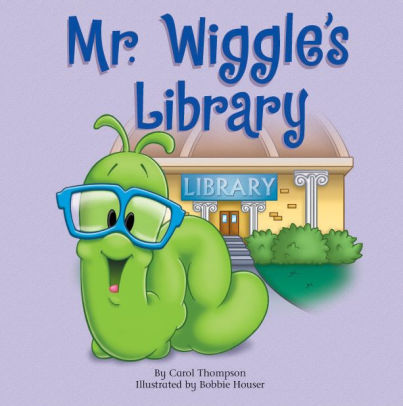
Image result for mr wiggle's library
After giving kids a chance to try out "reading" in the library, we took a very important break: We walked into the hallway to see where the closest bathroom is. I cannot tell you how many times throughout the year I get kindergarten teachers saying, "So-and-so walked all the way down to our wing to use the bathroom..." Hopefully this will nip that in the bud!

After our bathroom break, we walked quietly back to our carpet spots (testing whether we remembered our spots!). I then read a favorite library orientation book, Mr. Wiggle's Library, to introduce them to Mr. Wiggle, who will feature in more than one of our back-to-school read alouds!

 First Grade

Moving on to first grade! These kids have already spent a year with me in the library, so introductions didn't take quite as long. Again, we set up a seating chart on the carpet (cue acute distress over my moving the couch) and discussed what a library is. 

Then I put this sign up:


I asked the kids, "Do you think this is true? Can we do ANYTHING at the library?"

The kids: "NO! We can't..."
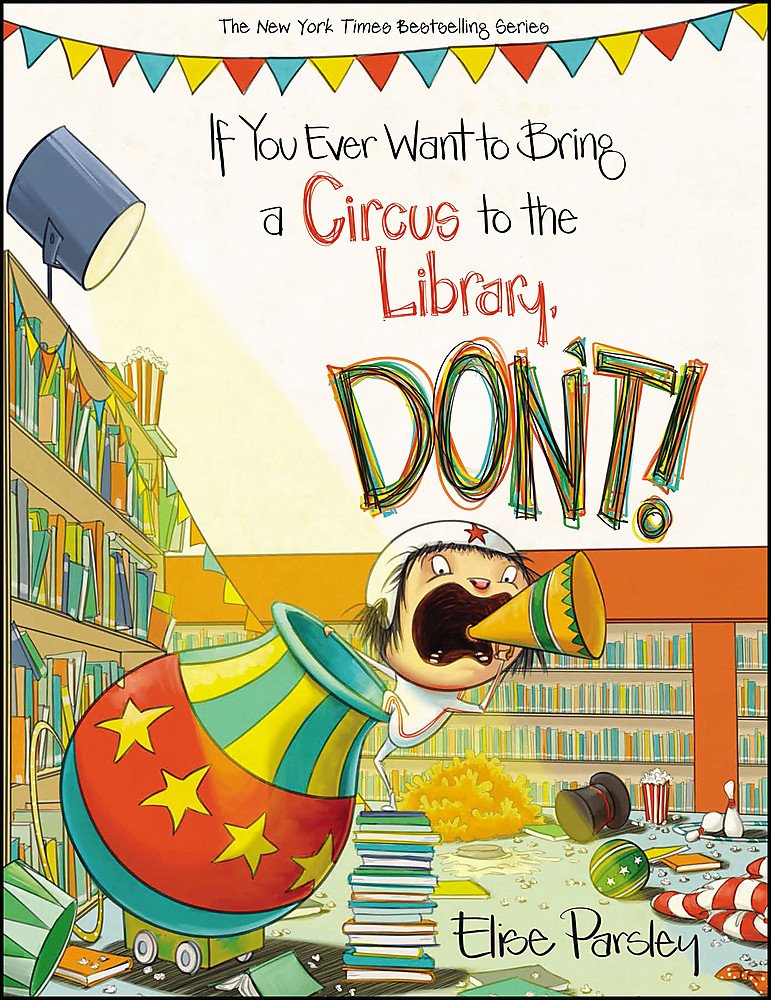
Image result for if you ever want to bring a circus to the library don'tAs I read If You Ever Want to Take a Circus to the Library - DON'T, we made a list of rules that we need to follow in order to be able to do all those great things that we CAN do in the library. The list included "be quiet" (from "don't clap and cheer"), "be safe" (don't tightrope and do flips!), "no food or drink" (to go along with "bringing concessions"), and "be kind" (you can't boo in the library).

After looking back at the list of things we can do in the library, we discussed what fun things we CAN do in the library. When we were finished, our list looked like this (left side is rules from the book; right side is things we can do):


After looking back at our two lists (and a wiggle break!), we thought about what a library patron should look like. I found this adorable free download on TPT that I turned into an anchor chart for us to fill in. Then the students were dismissed to tables to color a black-and-white version of the Library Patron anchor chart.
Coloring our library patrons!


Second Grade:

My second graders were THRILLED to be among the "big kids" in library this year - meaning, they will be using their own Google logins! This is a huuuuuge task that we will be tackling....later. For now, the star of our orientation lesson was this awesome book:

Image result for shelf elf library

 We read the book and then realized that Skoob (the stuffed animal) was missing from where he normally sits on the Smartboard! Instead, I found a message from Skoob telling us that he had hidden somewhere in the library and couldn't find his way back. We were able to follow his clues through the Easy books, graphic novels, biographies, chapter books, check-in computer, check-out computer, and catalog computer, before finding him in the non-fiction section. The kids did a great job exploring the library - it was a good reminder of where things are from last year!


Then we regrouped on the carpet and talked about what kinds of things we might need to do to get the Golden Shelf Award. Each student took a page for our class book, "How to Take Care of Your Library Books, by Skoob," to illustrate and to decide whether Skoob would approve or disapprove. We'll come back to these books next week!


Another take-home: These super-cute Shelf Elf bookmarks! (Also: Her blog has an absolutely AMAZING Golden Shelf Elf Award. Making one like hers is a goal for next year!)

Third Grade


My third graders have been checking out books for three years, so they know the library layout pretty well. However, there are some new responsibilities that come along with being third graders, like checking out their own books and choosing books from anywhere in the library. We reviewed the main expectations in the library, using signs I adapted from the absolutely adorable signs at DCG Elementary. The third grade teachers all use Bitmojis for everything, so these were perfect! I adapted them to fit our class expectations using my own Bitmoji and am excited to hang them in my meeting area.

After a brief review of expectations (and the all-important creation of the seating chart), we thought about how we choose books. We'll do an in-depth library tour in the next few weeks; for now, we are thinking about just-right books and how we decide which ones to read. After checking out books (and demonstrating an ability to keep shelves neat!), students filled out book recommendations to start our book recommendation display. This is the one activity this year that I didn't feel was that engaging. I'll be trying something new with third grade next year - maybe some sort of team-building STEM activity to practice group work?? Ideas are welcome!

Fourth Grade

Fourth graders are EXPERTS on the VO Library! They also, thanks to the projects they did last year, are experts in creating videos. So their task the first week of school: Create and post on Seesaw a video of themselves describing to a Kindergartener/1st grader how to choose a book! 

We started (after expectations & seating charts) by creating an anchor chart: What is a Just-Right Book? I modeled mine after this Twitter post and had the kids help me fill it in. After this review, kids were off! We combined choosing books and completing the video for the remainder of class. In some classes, we had enough time left over to watch the completed products. They were AMAZING. Some kids even decided to do a skit! LOVED it! 


Whew.... It was a great first week and I am so excited for the rest of the year!! Hope your school year is going fabulously!